

AnyMic Recorder
For iPhone. Free. No account.
Record from any mic on your iPhone.
Your iPhone has three or more microphones. Most recorders let iOS pick one and clean up what it hears. AnyMic lets you choose the exact mic, records what it actually picks up, and keeps it lossless if you want.
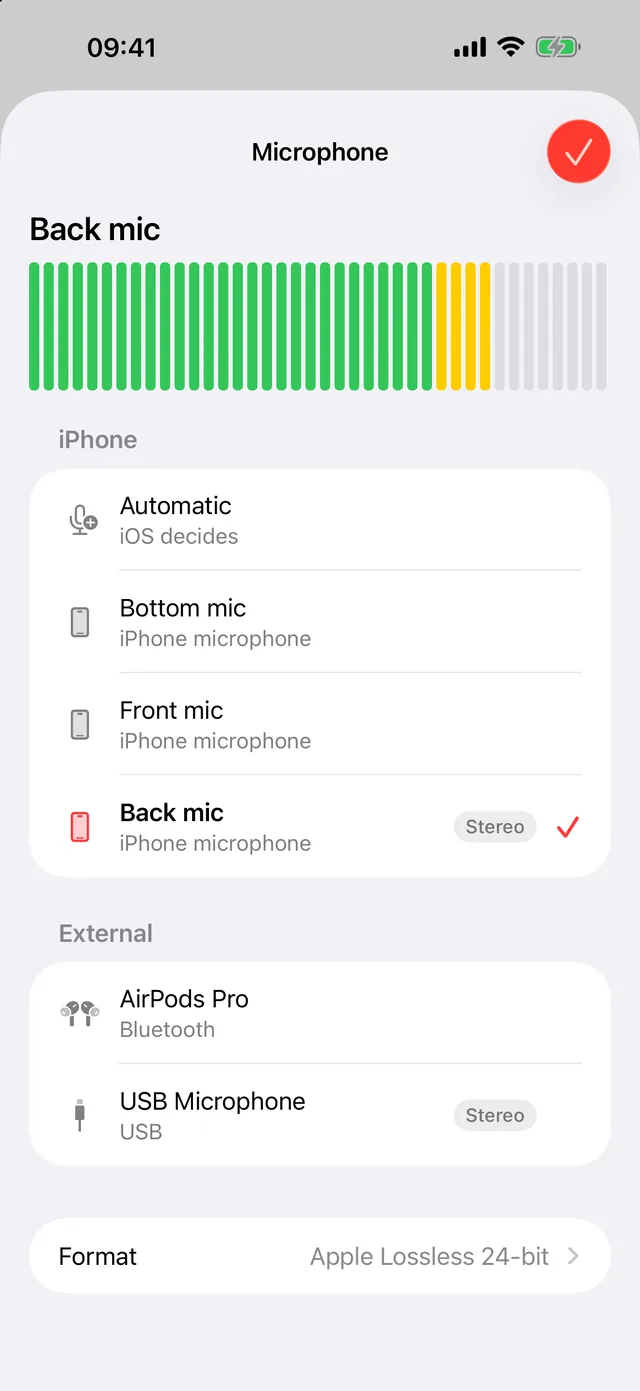
Pick the mic
Bottom, front or back, AirPods or USB. The meter shows what each one hears.
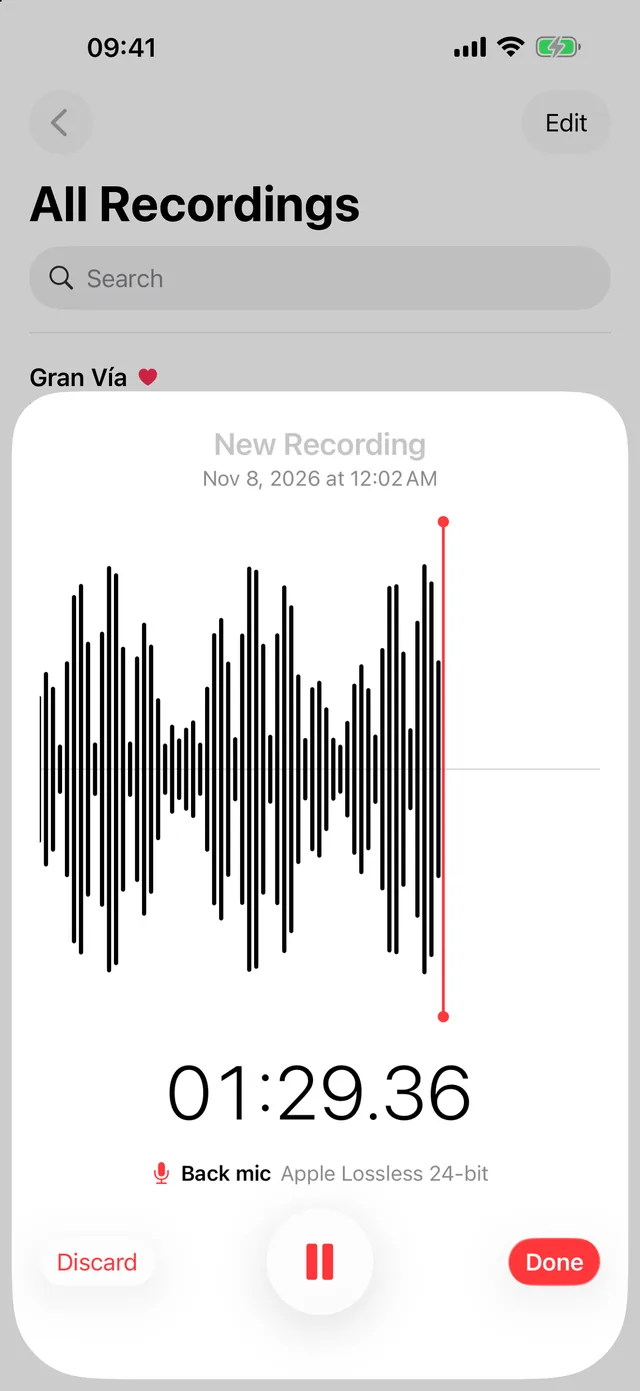
Record lossless
Straight from the mic you chose, in Apple Lossless, FLAC or WAV.
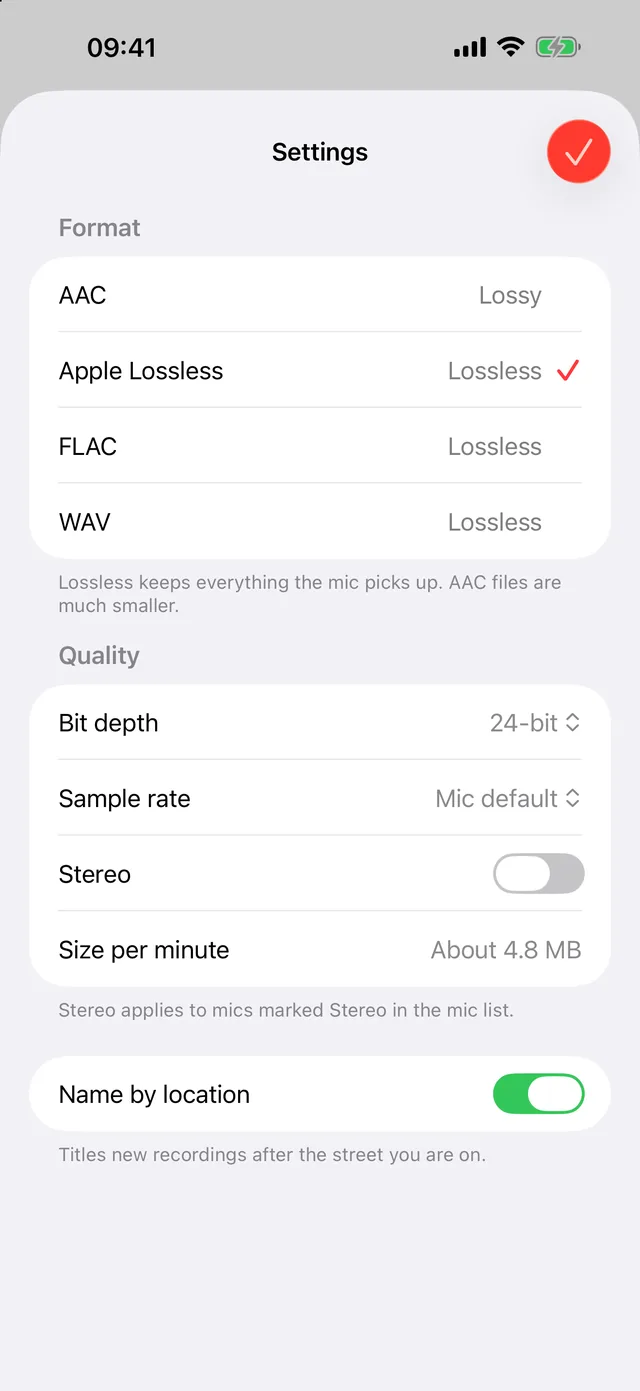
Set the quality
16 or 24-bit, up to 96 kHz. AAC when space matters.
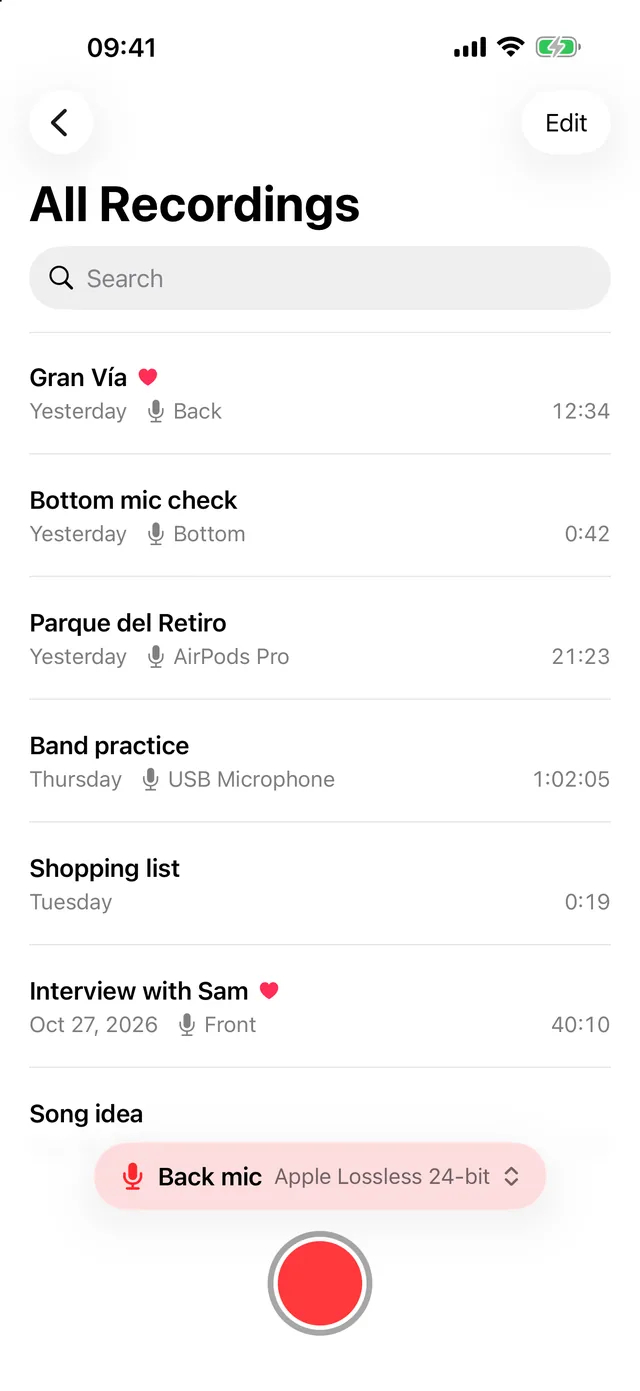
Know every take
Named after the street you were on, with the mic it came from.
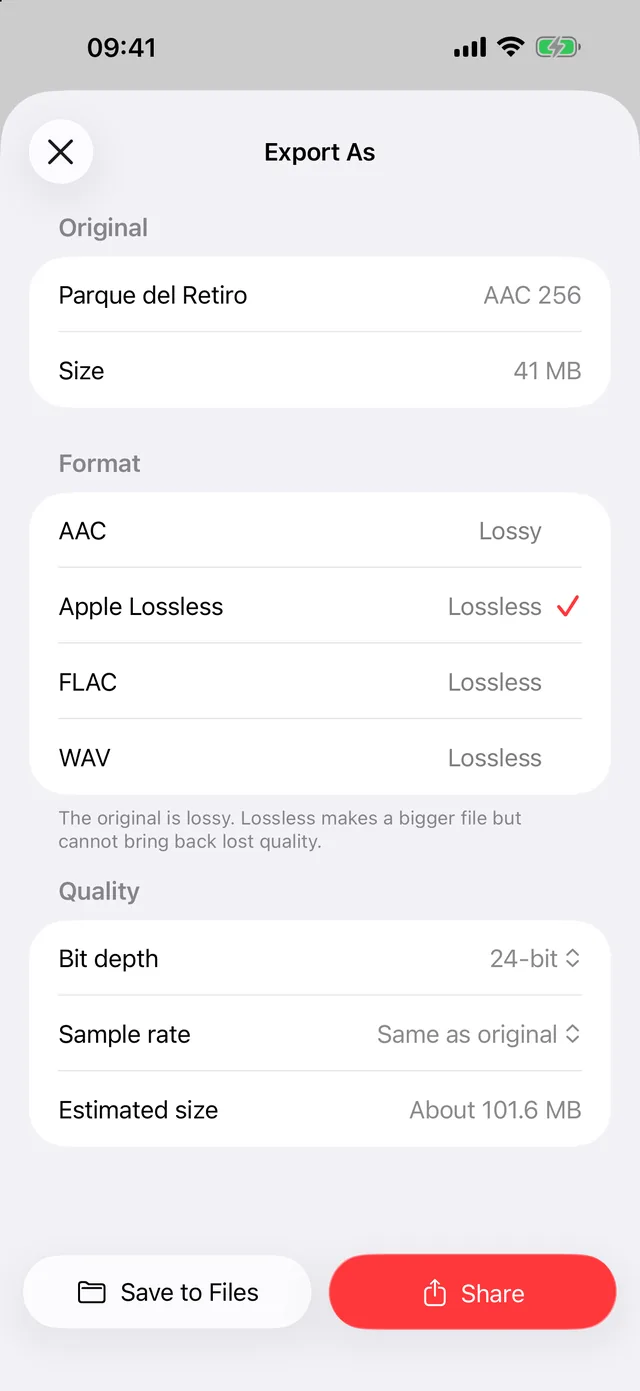
Export to any format
Convert as you export, then save to Files or share.
Pick the mic
- The bottom, front or back mic, each on its own
- AirPods, wired headsets, USB and Lightning mics
- Stereo from the mics that support it
- A live level meter in the mic list, so you can compare mics before you record
- If iOS switches mic mid-take, AnyMic tells you, and the recording notes both
Record clean
- Measurement mode keeps iOS voice processing to a minimum
- Apple Lossless, FLAC or WAV at 16 or 24-bit, 44.1, 48 or 96 kHz
- AAC from 64 to 320 kbps when space matters
- Keeps recording with the screen locked, and recovers a take if the app is closed
Keep and export
- Recordings named after the street you were on (optional)
- Search, favourites, trim, and Recently Deleted for 30 days
- Convert to any format as you export; save to Files or share
- Your recordings are also in AnyMic's folder in the Files app
Why we built it
Voice Memos lets iOS pick the mic for you. We wanted to choose it ourselves, watch its level and keep exactly what it heard.
Private
No account, no ads, no tracking, no analytics. AnyMic has no servers; recordings stay on your iPhone until you export them. Privacy policy · Support